Choose trusted pages
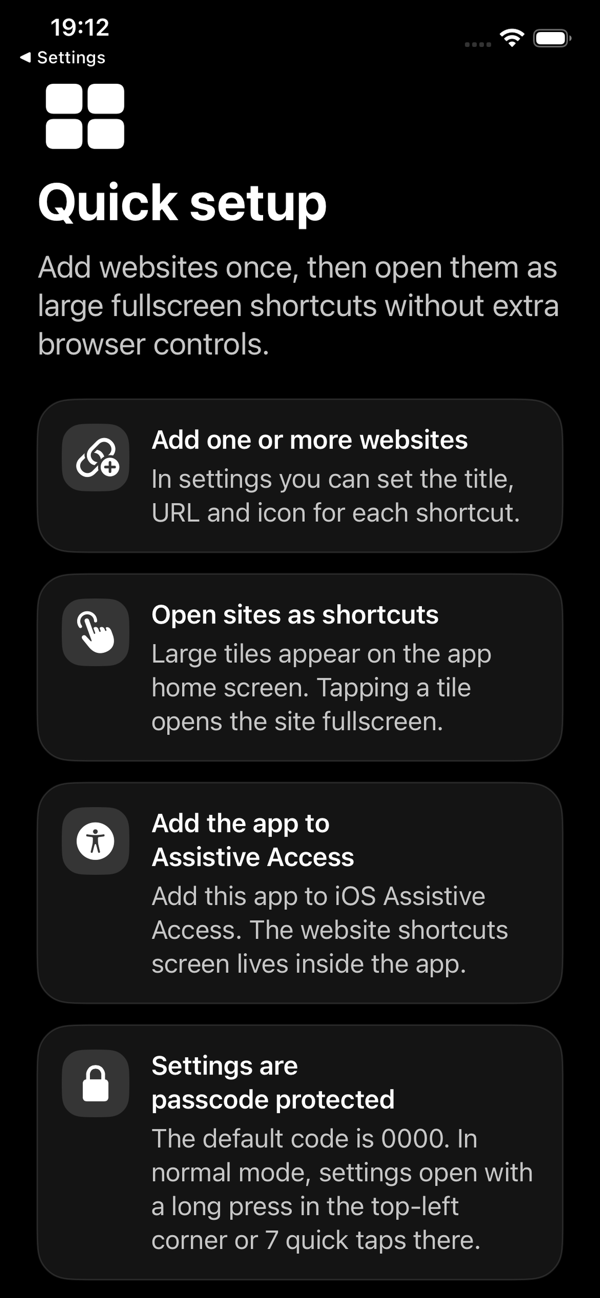
A supporter creates a small, curated set of shortcuts with recognizable names and icons.
Give people one-tap access to trusted websites through large visual shortcuts, fullscreen browsing and protected settings — a focused companion for Assistive Access on iPhone.
Free · iOS and iPadOS 16.0 or later · No data collected
Assistive Access simplifies the iPhone experience. Kiosk Web Launcher complements it by simplifying the path to selected web pages.
A supporter creates a small, curated set of shortcuts with recognizable names and icons.
Large tiles lead directly to the intended page without tabs, an address bar or a bookmark library.
Password protection and domain controls help prevent accidental changes and unrelated navigation.
Kiosk Web Launcher does not enable or lock Assistive Access itself. Configure the system mode separately in iOS Settings.
Configure the pages people need and keep browser controls, accidental detours and settings out of the way.
Create one or multiple shortcuts for dashboards, menus, booking pages, internal tools or information screens.
Large visual tiles and simple navigation complement the simplified iPhone experience without replacing the system mode.
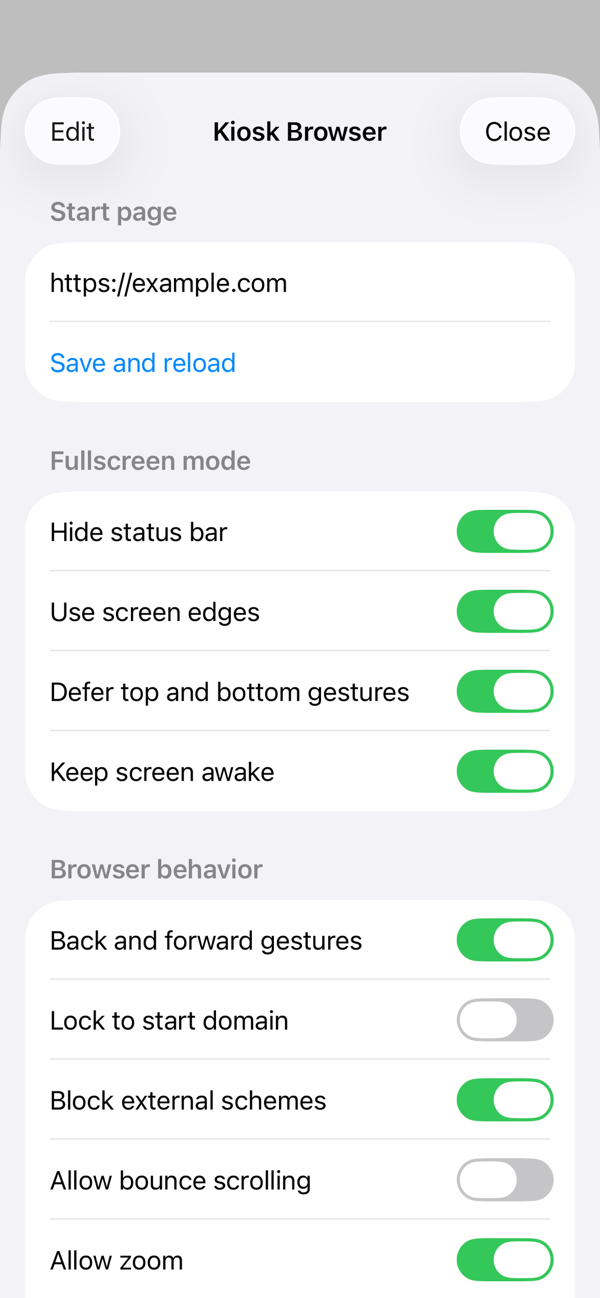
Restrict navigation by domain and optionally block links that try to open external apps.
Hide settings behind a password and manage camera, microphone, notification and location access per site.
A simple flow for personal dashboards, family devices, reception screens, restaurant menus and internal web tools.
Clear boundaries for a predictable setup.
Yes. Its large visual shortcuts, focused fullscreen browser, domain controls and protected settings are designed to complement Assistive Access. Add the app through iOS Assistive Access settings; the app does not enable the system mode itself.
No. It provides a focused in-app browser. For device-level locking, use Apple Guided Access or an iOS device-management solution.
No. It does not change Safari settings, modify the iOS Home Screen or install system certificates. Supported .ru certificate chains are handled only inside the app browser.
The developer reports that the app collects no data. Configured websites may still process cookies, sessions, forms and other information under their own privacy policies.
Kiosk Web Launcher supports iPhone and iPad with iOS or iPadOS 16.0 or later. It can also run on compatible Apple-silicon Macs and Apple Vision Pro.
Download Kiosk Web Launcher free from the App Store.